Key takeaways
- Learning Resources Botley 2.0 is the usual pick for children aged five to seven who need a screen-free coding robot, Wonder Workshop Dash suits ages six…
Learning Resources Botley 2.0 is the usual pick for children aged five to seven who need a screen-free coding robot, Wonder Workshop Dash suits ages six to eleven who want a tablet-driven robot with a long learning path, and Sphero Mini or BOLT suits older, more independent children who like rolling robots and real code. All of these fit under the $150 cap in most configurations, though Dash tends to sit at the upper end of the range. Pick by age, screen preference and how far the child is likely to progress with coding.
Our top picks


As an Amazon Associate we earn from qualifying purchases at no extra cost to you.
At a glance: the main robot toys compared
| Robot | Typical age | Best for | Key stated or reported points | Limits |
|---|---|---|---|---|
| Learning Resources Botley 2.0 | 5 and up | Screen-free first coding | Programmed with a remote programmer; reviewers rank it the top screen-free coding robot for young children | Uses replaceable batteries rather than an internal rechargeable pack |
| Wonder Workshop Dash | 6 to 11 | Long-term coding growth | Arrives fully assembled; the maker says it is used in schools around the world; works with free coding apps | Needs a compatible phone or tablet; costs more than Botley |
| Sphero Mini | 8 and up | Rolling robot, games and basic code | Palm-sized ball controlled by an app; reviewers often rank it the best overall coding robot | Screen required; smaller ball, simpler hardware |
| Sphero BOLT+ (the older BOLT is being phased out) | Older children; check the maker’s label | Advanced learners | Reviewers cite its LED matrix and sensors; Sphero’s Edu app offers block coding and JavaScript | Typically the most expensive on this list |
| Makeblock mBot or mBot2 | Roughly 8 and up | Builders who like assembling robots | Kit robot with block coding (mBot2 also supports Python); reviewers list it for children who enjoy building | Assembly takes time and patience; mBot2 sits near or above the cap |
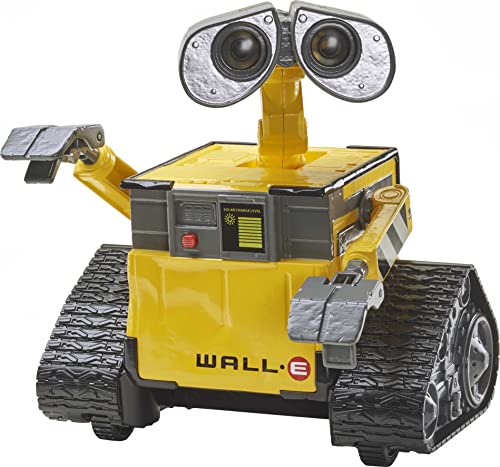
| Remote-control or transforming robot toys | 3 and up | Play rather than coding | Simple controls, lights and sounds | Little educational depth |
Coding robot or play robot?
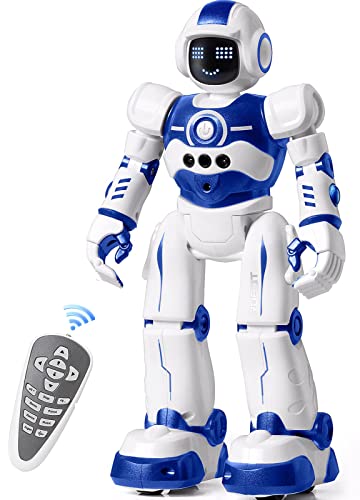
Robot toys fall into two groups. Coding robots such as Botley, Dash and Sphero teach sequencing, loops and logic through visual or block-based programming. Play robots such as remote-controlled fighters, walking toys or voice-activated companions are designed for fun and imagination and have limited programming. If the goal is learning, choose a coding robot; if you want a gift that offers instant fun with little setup, a play robot is fine. Some families buy one of each.
Budget tiers within the $150 cap
Budget tier: simple play and entry-level coding
At the budget end are remote-controlled or app-linked robots, as well as screen-free coding toys. Botley 2.0 sits at the lower-to-mid part of the price range and is frequently described as the best entry point for ages five to seven because there is no tablet to manage and the programming is done with a physical remote. For a gift-giver who wants to avoid setup and app accounts, it is the simplest route.
Mid-range tier: app-controlled robots
The mid-range includes Sphero Mini and similar small app-driven robots. They are compact, tough and cheap enough for a first coding purchase for children around eight and up. They depend on a phone or tablet, so check that the device is supported before buying. Reviewers often name the Mini as the best overall value for coding robots in roundups, though rankings differ.
Upper tier: Dash and advanced options
Closer to the cap are Dash and, depending on the sale, Sphero BOLT or build-it-yourself kits such as Makeblock mBot. Dash is frequently praised for its five-year progression: young children begin with simple drag-and-drop programs and move on to more complex projects in the maker’s free apps. BOLT adds a programmable LED display and sensors for older children. These suit families who want a robot that grows with the child.
Screens, batteries and compatibility
- Screens: Dash and Sphero need a compatible phone or tablet. Botley does not. Check the maker’s compatibility list for your device before buying, since app support varies by operating system version.
- Batteries: Botley uses replaceable batteries; Dash and Sphero use rechargeable internal batteries, so keep the charging cable handy.
- Space: Rolling robots need a smooth floor. Wheeled robots like Dash and Botley handle rugs differently, so a flat table or hard floor is the best play area.
- Durability: Sphero is sealed and rolls, so drops are less of a worry. Dash has more exposed parts and sensors.
- Accounts and privacy: App-based robots may need an account or permissions. Read the privacy notice and use parental controls.
Detailed notes on the main picks
Learning Resources Botley 2.0
Botley 2.0 is a small, wheeled, screen-free robot controlled by a handheld programmer. Children press arrows to build a sequence of moves, send it to the robot and watch it run. It includes obstacle pieces and detects objects, and is widely recommended for ages five to seven as a first step into coding concepts. Reviewers point out that its main limitation is that its skills plateau as children grow, and that it needs replaceable batteries.
Wonder Workshop Dash
Dash is assembled out of the box and responds to voice, light and sound. Coding happens in the maker’s apps, ranging from basic drag-and-drop blocks for younger children to more advanced block programming. The maker says it is used in a large number of classrooms, and reviewers praise the way it keeps older children interested for years. The downsides are price, which is higher than Botley, and the need for a compatible device.
Sphero Mini and BOLT+
Sphero robots are spherical rollers. The Mini is palm-sized and doubles as a game controller; BOLT+ is the updated version of the larger BOLT and adds an LED matrix and sensors; Sphero lists wireless charging and Shake to Wake for it. Reviewers suggest the Mini for general use and BOLT+ for children ready for more advanced projects, and Sphero’s Edu app offers JavaScript alongside block coding. Both need an app, and children typically need to be a little older than Botley users.
Makeblock mBot
mBot arrives as a kit that the child assembles, which appeals to builders. After assembly, it can be programmed through block coding and extended with sensors. It is a good choice for children who enjoy tinkering, but the assembly step can be fiddly for younger ages.
Pick X if you need Y
| If you need… | Pick | Why |
|---|---|---|
| Screen-free coding for ages 5 to 7 | Botley 2.0 | Physical remote, no app needed |
| A robot that grows with the child | Dash | Free apps cover beginner to more advanced projects |
| A compact rolling robot for games | Sphero Mini | Small, tough and app-controlled |
| Real programming languages | Sphero BOLT+ or Mini | Sphero’s Edu app offers JavaScript alongside block coding |
| A build-it-yourself project | Makeblock mBot | Kit assembly plus block coding |
| Fun without coding | Remote-control robot | Simple, instant play |
Alternatives
- Programmable building kits: LEGO Education announced that its SPIKE line retires from mid-2026, so check which robotics building kits are currently sold.
- Coding board games: Screen-free logic games teach sequencing without a robot.
- Simple circuit kits: Snap Circuits sets suit children who want to understand how electronics work first.
Safety notes
Follow the maker’s age grading, since some robots contain small parts or button batteries. Supervise young children, keep batteries out of reach and stop using any robot with damaged casing or a swollen battery. Charge rechargeable robots only with the supplied cable and under supervision. As with any connected toy, set up parental controls on the companion app and read the privacy information.
Many roundups on robot toys are affiliate-style and disagree on rankings. The broad consensus, Botley for the youngest, Dash for the middle years and Sphero for older, more independent children, is the most reliable guide.
Getting started with a coding robot
Set aside a clear floor area, charge or install batteries, and let the child explore freely before introducing challenges. Start with simple goals, such as driving to the door or making the robot turn in a square, and then add obstacles or a story. Children often enjoy giving the robot a character, which makes debugging more fun: when the robot goes the wrong way, ask what instruction was missing.
Keep sessions short at first, around fifteen to twenty minutes, and stop while interest is still high. Older children can set themselves projects such as a maze or an obstacle course, or compete with a friend. If a robot uses an app, review permissions and set up a profile that suits the child’s age.
Frequently Asked Questions
What is the best robot toy for a five-year-old?
Botley 2.0 is the most frequently recommended because it is screen-free and uses a simple remote programmer. It introduces sequencing and logic through play. Check the maker’s age labelling and battery needs.
Does a coding robot need a tablet or phone?
Dash and Sphero do, since they are programmed through apps. Botley does not. Check the maker’s device compatibility list before you buy.
Is Dash worth the extra cost over Botley?
If a child is likely to keep coding for several years, Dash offers more room to grow through its apps. For a younger child who wants a simple, screen-free introduction, Botley is usually enough. Budget and age should guide the decision.
Can a robot toy replace a coding class?
A robot can introduce concepts such as sequences and loops, but it is not a replacement for structured teaching. It works best as a supplement, with an adult asking questions and setting challenges.
How long do robot toy batteries last?
Run time depends on the model and how it is used, so read the maker’s specification. Rechargeable robots need regular charging, while Botley uses replaceable batteries. Keep spares if the toy is used often.
Are robot toys durable?
Sealed rolling robots like Sphero are generally tougher against drops, while robots with exposed sensors or wheels need more care. Reviewers recommend playing on smooth, flat surfaces and storing the robot in its box.