Key takeaways
- In a two-story house with a basement playroom and a nursery at the far end of the upstairs hall, the standard baby monitor that works fine in an apartment…
In a two-story house with a basement playroom and a nursery at the far end of the upstairs hall, the standard baby monitor that works fine in an apartment can drop its signal on the staircase. Thick walls, multiple floors and a garden shed office all cut into wireless range. Parents in large homes need a monitor that either reaches farther or uses Wi-Fi so the picture follows them to any room, or even outside.
The six monitors below come from Infant Optics, Eufy, VTech, Motorola, HelloBaby and Nanit, and this guide relies on what each name says, so it makes no claims about range in feet, battery life or resolution. Read the buying rules first, because the range number on a box is measured in open air and the real distance through walls will be shorter, so check connection type and layout before buying.
Quick Picks
| Product | Best for | Worth knowing |
|---|---|---|
| Infant Optics DXR-8 Pro | Parents wanting a dedicated handheld screen | Pro trim of the DXR-8 line |
| Eufy SpaceView Baby Monitor | Families who like a dedicated video display | SpaceView name emphasizes a wide view |
| VTech VM5463 | Parents wanting a video monitor from a long-time baby brand | Model number identifies a specific VTech unit |
| Motorola PIP1610 HD | Families who want an HD-labeled monitor | HD in the name signals higher resolution |
| HelloBaby HB65 Video Baby Monitor | Parents who want a video monitor with a handheld display | Video baby monitor named in the product title |
| Nanit Pro Smart Baby Monitor | Tech-friendly parents who want an app-connected camera | Smart in the name signals an app-based device |
The monitors in the table split into two families: dedicated parent-unit models that use their own radio link, and app-connected cameras that rely on home Wi-Fi. The notes repeat only what the names suggest. Range, battery and resolution are not in the names, so the rules below show how to check them for a house with several floors.
How to Choose
Wi-Fi versus dedicated signal
Wi-Fi monitors stream to your phone, so range depends on your router, and they work from anywhere with internet. Non-Wi-Fi monitors use a dedicated radio link and keep working during an internet outage. In a large home, a mesh Wi-Fi system or extender helps Wi-Fi cameras, while dedicated monitors need a clear path and a strong stated range of several hundred feet.
Walk the house with a phone running a Wi-Fi speed test and note the weak spots. If the nursery or basement drops below a stable signal, add a mesh node there first, or choose a dedicated-signal monitor that does not depend on the router at all.
Real-world range through walls
A good rule of thumb is to assume you will get one-third to one-half of the advertised open-air range indoors. Brick, concrete, metal studs and several floors reduce the signal. Test the monitor in the farthest room you use, such as the kitchen at the opposite end of the house, before the first night.
Plan a test with the parent unit in the farthest living space you use, such as a back patio or basement office, with doors closed. If the picture breaks up, move the camera or the unit rather than assuming the monitor is faulty.
Camera features that matter
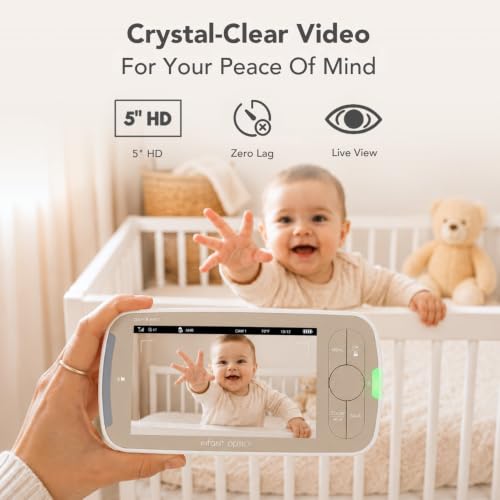
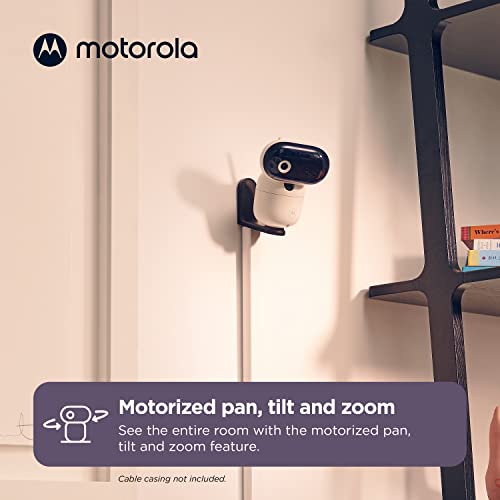
Look for night vision, a wide-angle or pan-tilt option, and two-way talk. A camera that can pan and zoom covers a large nursery or a play area, while a fixed one is fine for a crib. Check the screen size too; a screen of about 5 inches is easy to read at a glance.
For a large nursery, pan, tilt and zoom let you follow a crawling baby across the room, while a fixed wide-angle lens is fine for a crib. Two-way talk and a temperature display are small extras that parents appreciate during long nights.
Battery, security and privacy
Prefer monitors with encrypted connections and the ability to set a strong password. Non-Wi-Fi models avoid some online risks. A handheld that holds a long charge matters if you move around a big house, and a spare power cable lets you leave a charger in the room you use most.
Update the firmware when offered, avoid reusing passwords from other accounts and turn off remote access you do not need. For handheld units, charge them every night and keep a spare cable in the room where you spend the most time.
Our Picks Reviewed
Infant Optics DXR-8 Pro

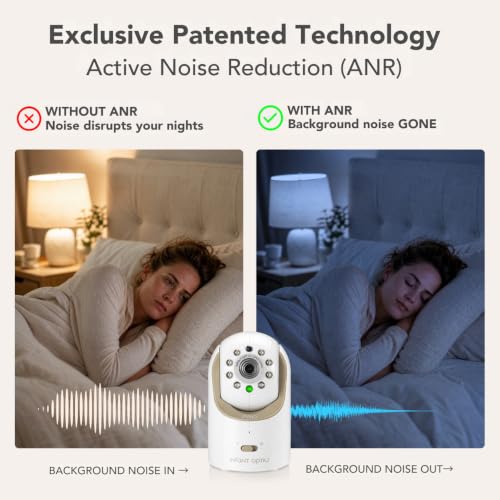
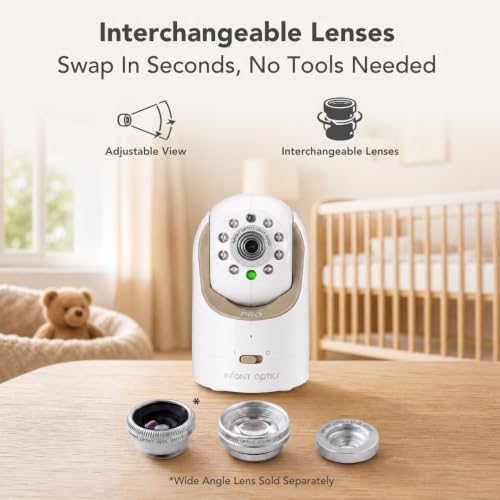
Infant Optics DXR-8 PRO - Patented Active Noise Reduction (ANR), 5” HD Video Baby Monitor with 1 Camera, No WiFi, Hack-Proof,Pan Tilt Zoom, Interchangeable Lens


As an Amazon Associate we earn from qualifying purchases. Product prices and availability are accurate as of the date/time indicated.
Parents with thick walls or a finished basement often start with a dedicated screen because it keeps working when the router hiccups, a real advantage during storms and when guests overload the home network.
The DXR-8 Pro is a video monitor with a dedicated parent unit from Infant Optics, the Pro trim of a well-known line.
- Pro: A dedicated screen does not depend on home Wi-Fi, which helps in houses with weak coverage in the nursery or basement.
- Pro: A Pro trim suggests extra features over the base DXR-8, offering room to grow for parents who want more options.
- Con: A dedicated screen is one more device to charge and carry around the house, unlike a phone app.
Skip it if you prefer to view the camera only on your phone and keep a minimal device count.
Eufy SpaceView Baby Monitor
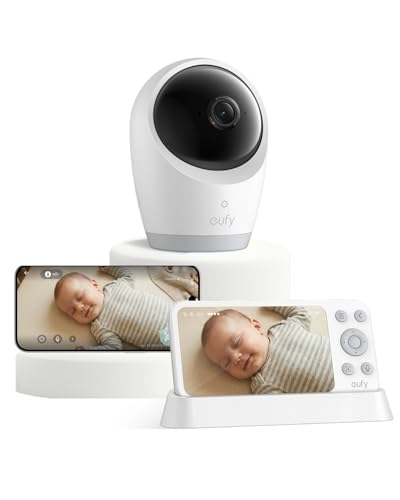
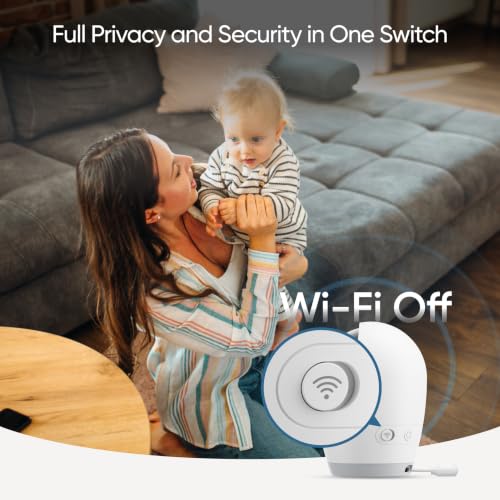
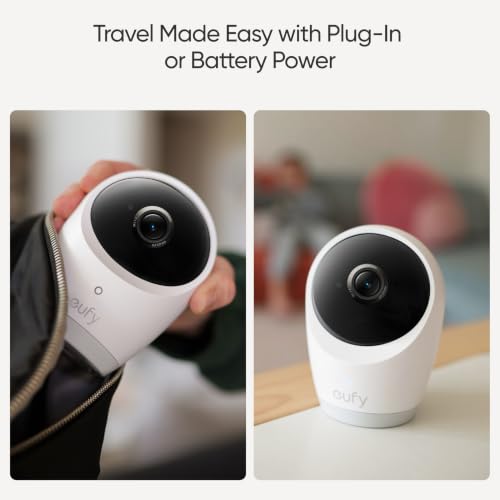
eufy Baby Monitor E21, 4K UHD Camera, 5" 720p Screen, No Wi-Fi | No Subscription Fee, WiFi & No Wi-Fi, 8x Zoom, Dual Wi-Fi/Local, 24/7 App Recording, ANR, Built-in Battery


As an Amazon Associate we earn from qualifying purchases. Product prices and availability are accurate as of the date/time indicated.
Its wide-view branding speaks to families with large nurseries or shared sibling rooms, where a narrow lens might show only the crib and miss the rocking chair or play mat in the corner.
The SpaceView from Eufy is a video baby monitor whose name emphasizes a wide view of the room.
- Pro: A wide view helps parents of larger nurseries see the whole room without guessing which corner a toddler wandered into.
- Pro: Eufy is a smart home brand, so setup and cameras often follow modern conventions that many families find familiar.
- Con: A dedicated video unit has a limited signal path, so thick walls in a large home can still weaken the link.
Skip it if you want live viewing from outside the house through a phone app.
VTech VM5463

VTech VM5463-2 Video Baby Monitor with 2 Cameras, 5" HD Screen | 12-Hour Battery, Pan Tilt Zoom, Ceiling Star Projector Night Light, 2-Way Audio, Non-WiFi Secure


As an Amazon Associate we earn from qualifying purchases. Product prices and availability are accurate as of the date/time indicated.
Because it comes from a company with a long history of baby electronics, setup instructions and replacement parts are usually easy to find, which is helpful for parents who prefer simple, familiar gear.
The VM5463 is a VTech video baby monitor, identified by its model number, from a brand that has long made nursery electronics.
- Pro: A long-running baby electronics brand tends to offer easy setup and straightforward controls for first-time parents.
- Pro: A dedicated parent unit means no apps, accounts or subscriptions are needed to use the monitor day to day.
- Con: A model number name tells you little, so read the specs carefully to confirm features like pan, tilt and zoom.
Skip it if you want smart sleep tracking or cloud-based alerts.
Motorola PIP1610 HD
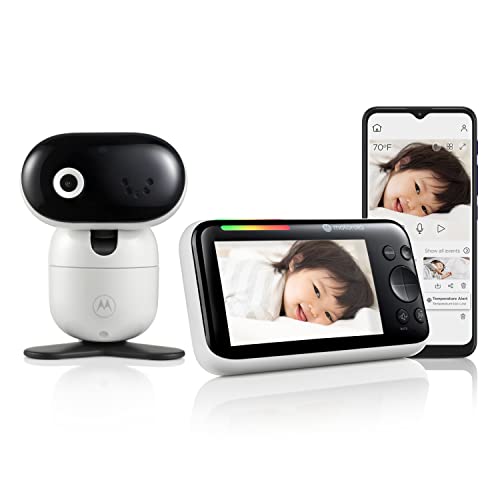
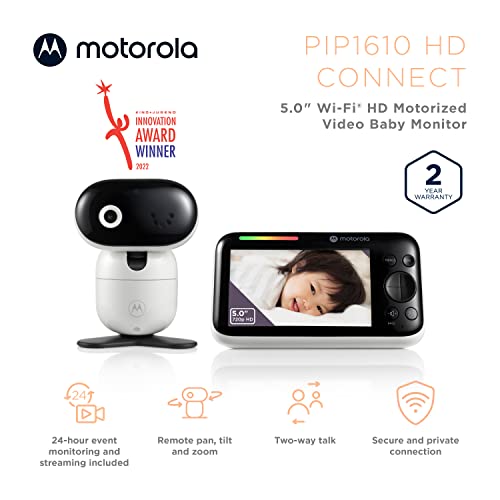
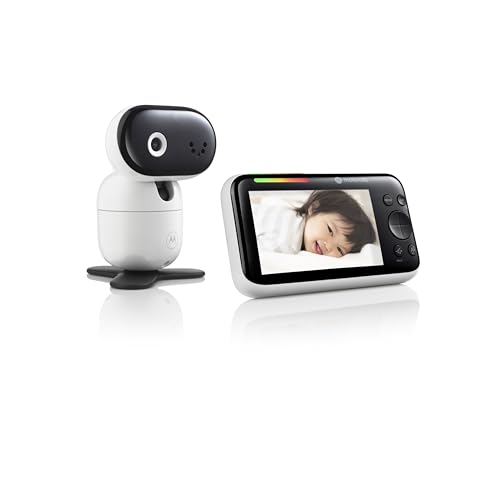
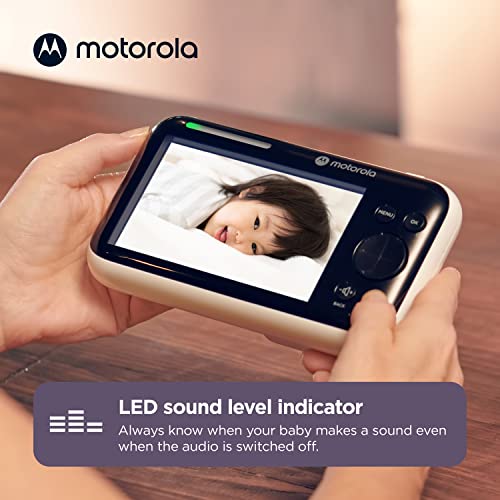
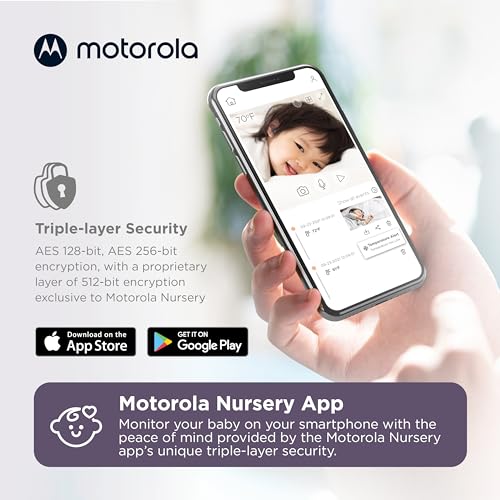
Motorola Nursery Wall Mount WiFi Baby Monitor with Camera and App, 5" Screen, Motorized, Long Range, 2-Way Audio, Temperature Sensor, Lullabies, PIP1610 HD Connect



As an Amazon Associate we earn from qualifying purchases. Product prices and availability are accurate as of the date/time indicated.
A sharper image can make a real difference in a dark room at the far end of a big house, since small movements such as a hand or foot are easier to spot when the picture is clear.
The PIP1610 HD is a Motorola video monitor whose HD tag suggests a sharper picture than standard-definition models.
- Pro: A higher-resolution picture makes it easier to read a baby’s expression or see small movements from across a big house.
- Pro: Motorola has a long record in baby monitors, so parts and manuals are easy to find.
- Con: Higher resolution can mean a larger or more complex unit, and setup may take longer than basic models.
Skip it if you want the simplest plug-in monitor with the fewest settings.
HelloBaby HB65 Video Baby Monitor
Choosing a handheld display means your phone stays free for calls and music, and it also avoids notification clutter that can hide an alert in a busy family group chat.
The HB65 is a HelloBaby video baby monitor with a handheld display, listed simply as a video unit in its name.
- Pro: A handheld display keeps the video separate from your phone, so you can leave your phone in another room.
- Pro: A video baby monitor from a baby-focused brand usually includes the basics, such as night vision and two-way talk.
- Con: A lesser-known brand may offer less support and fewer user reviews to compare than major names.
Skip it if you want a big-brand ecosystem with accessories and a long track record.
Nanit Pro Smart Baby Monitor

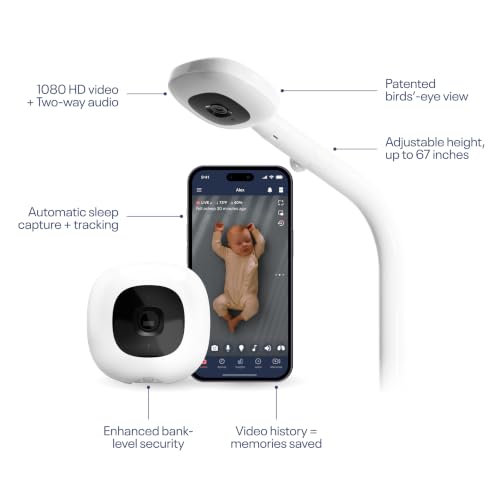
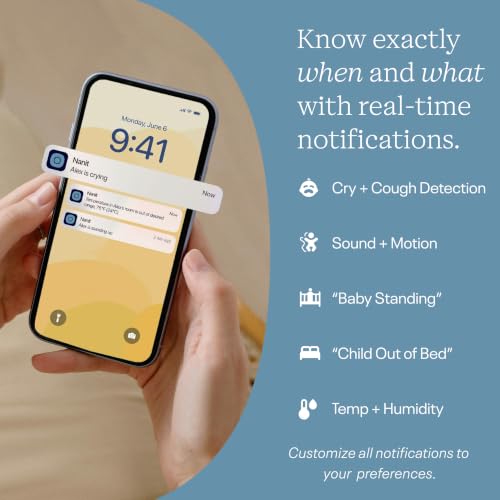
Nanit Smart Baby Video Monitor - Camera & Floor Stand - 1080p Wi-Fi Camera | Pro edition, 2-way audio, sound/motion/cry notifications, night vision, see your baby from anywhere, video camera


As an Amazon Associate we earn from qualifying purchases. Product prices and availability are accurate as of the date/time indicated.
App-first monitors suit parents who move around a large property, because the feed follows them to the yard, the garage workshop or the guest room, as long as the Wi-Fi signal reaches that far.
The Nanit Pro is an app-connected smart monitor, designed to stream to your phone and track more than just video.
- Pro: App-based viewing means you can check the nursery from any room, or from the yard, as long as your Wi-Fi reaches.
- Pro: A smart monitor often includes extras like sleep insights and alerts, which interest data-minded parents.
- Con: Wi-Fi dependence means a router outage or dead spot can interrupt the feed.
Skip it if your Wi-Fi is spotty in the nursery or you want a device that works without internet.
Which One Fits
Think about walls, floors and how you move around the house.
- Weak Wi-Fi in far corners: Infant Optics DXR-8 Pro or VTech VM5463.
- Wide nursery or play area: Eufy SpaceView Baby Monitor.
- Sharper picture priority: Motorola PIP1610 HD.
- Strong mesh Wi-Fi and phone-first habits: Nanit Pro Smart Baby Monitor.
Start by sketching the layout of the house and marking the nursery, the rooms you use most and any dead zones. If the rooms you use are close to the nursery, a dedicated monitor is simple and dependable. If you want to roam freely, invest in a mesh network first and then choose an app-based camera that works across the whole property.
Common Mistakes
- Trusting open-air range numbers for a multi-story house.
- Placing the camera within reach of the crib or on a loose cord.
- Using the default password on a Wi-Fi camera.
- Forgetting to test the signal in the farthest room.
- Letting the battery run low during overnight use.
FAQ
Where should I mount the camera?
Mount it high, out of reach, with the cord tucked away, and aimed at the crib mattress.
Do I need Wi-Fi for a baby monitor?
Not always. Dedicated-signal models work without it, but they have more limited range through walls.
What about a child’s room later on?
The same camera can watch an older kid. The guide to kids desks for bedrooms may help when the nursery becomes a bigger room.
Is a bigger screen better?
Not necessarily. A clear screen of moderate size is easier to carry around a big house.
Any other baby gear worth researching?
Many families pair monitors with gentle music; see electric guitars for kids for later years of play.